IGNOBLE on Steam Deck
Officially playable on Valve’s handheld—here is how to make the harvest comfortable.
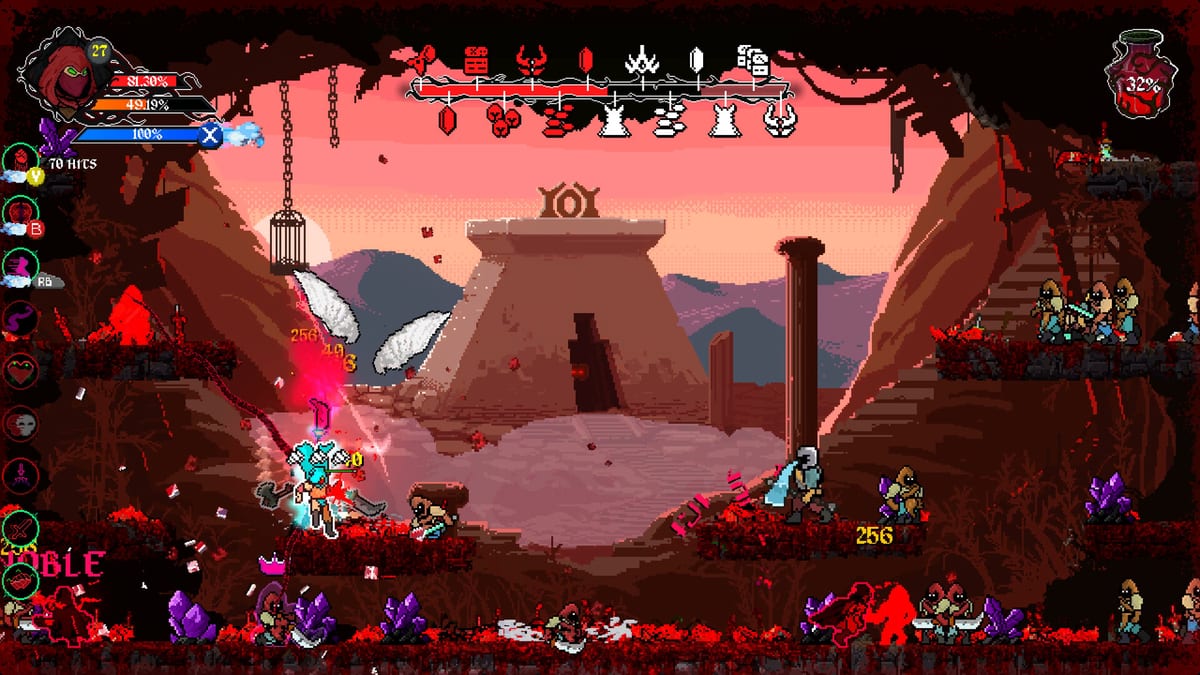
Retromagine announced that IGNOBLE is playable on Steam Deck before launch, asked for feedback on controls, framerate, battery, UI readability, and bugs, and later repeated that the full release was tuned to play well on the handheld. Steam’s store card lists full controller support, DualSense/DualShock notes, camera comfort, color alternatives, custom volume, and a keyboard-only option. This page is the handheld companion to System Requirements and Controls.
IGNOBLE is still Windows-first on the store platforms list. Deck play is Proton/SteamOS reality plus official attention, not a separate console SKU. Keep expectations honest: a 200 MB install can still hammer the screen when packs and VFX stack.
Mid-article official video
The embed is Retromagine’s own “now playable on Steam Deck” video. Watch for UI scale and combat readability, then set your Deck up before you chase a tyrant on the couch.
Controls on a Deck
Use the official layout as a starting point, then:
- Put attack on a face button you can mash without claw cramp during long harvests.
- Keep dodge/roll on a bumper you can tap while the stick orbits a pack.
- Confirm the sacrifice input after Hotfix #1—keyboard AZERTY bugs were PC-specific, but any awkward Deck chord that blocks a card sacrifice should be rebound immediately.
- Use language-menu Reset Controls / Reset Settings if a community layout left ghost binds. Details in Controls.
Steam Input can add extra back-button shortcuts for skill menu and deck. Only add them if they shorten menu time. Fancy gyro is optional; harvest economy cares more about orbiting packs than flick shots.
Performance and battery
Minimum PC specs call for Windows 10, an i3-3220-class CPU, 8 GB RAM, a GTX 960-class GPU, and about 200 MB of disk. Deck hardware is newer than that floor, but frame pacing during dense packs is the real test. If hits feel unfair, you may be dropping frames, not “missing i-frames.”
Practical habits:
- Cap FPS to a number the device holds in a busy arena, not a number that looks pretty in the hub.
- Lower effects if blood spray hides enemy red attack outlines.
- TDP-limit for battery on farm sessions; raise the limit for named fights from How to Beat Tyrants.
- Close heavy overlays. IGNOBLE already wants your eyes on packs and timers.
SteamDeckHQ’s store blurb called the loop simple and effective: kill quickly, harvest, grow. That loop is harsher if the Deck stutters. Stutter is a spec problem until proven otherwise—see System Requirements.
UI readability
Retromagine asked specifically about UI readability. On Deck:
- Increase in-game UI scale if node names on the Skill Tree become soup.
- Use color alternatives if crimson-on-dark packs hide telegraph outlines.
- Pause in the reworked pause menu rather than guessing while a blister grows.
- Camera comfort settings exist for a reason; seasick players should touch them before blaming the genre.
Card percents must be readable after the August 16 display hotfix. If a boss card still looks like 0.02%, you are on an old build—update, then read Patch Notes.
Modes and handheld sessions
Short sessions favor IGNOBLITE if you want a kinder projectile profile on the couch. Long prestige evenings belong on the original IGNOBLE save. Do not mix the two files because the Deck slept mid-download.
Cloud saves: Steam Cloud is listed on the store. Still verify the cloud timestamp when you hop from desktop to Deck so you do not overwrite a blister-clear.
What to report
The studio asked for Deck notes via Steam discussions and an in-game feedback form. Useful reports include: bind conflicts, UI clipping, thermal throttling in later prestiges, and Valkyrie fights after they stopped homing mid-flight. Useless reports: asking for online parties. The game is single-player.
Suggested Deck evening
- Update the game.
- Reset controls if anything feels haunted.
- Ten minutes of pack orbit in a farm route from Farming Timer Tips.
- One planned purchase from Resources.
- Stop while the battery still has a tyrant attempt left—or dock and continue on PC.
Handheld IGNOBLE works when the screen stays readable and the stick stays honest. Treat the Deck as a real way to play, not a novelty screenshot, and the harvest still compounds.
Frequently Asked Questions
Quick answers grounded in IGNOBLE combat and progression.
Is IGNOBLE verified on Steam Deck?
Retromagine publicly said it is playable on Steam Deck and asked for handheld feedback. Check Steam’s current Deck rating on the store page.
Can I play with only the Deck controls?
Yes. The store lists full controller support. Keyboard-only is also listed if you dock with a keys-only setup.
Does the Deck change game modes?
No. IGNOBLE and IGNOBLITE are the same modes. Handheld is a device, not a third campaign.
Why do hits feel cheap on Deck?
Check frame pacing and attack outlines before you rebuild. Stutter fakes unfairness. Then reread Controls for orbit habits.